
Hands-Off Managed WordPress Hosting & Care on Google Cloud
Eliminate Plugin Crashes, PHP Errors, and Maintenance Stress Under One Predictable Monthly Plan
Updating WordPress plugins, core files, and PHP versions yourself is a constant, stressful gamble. One untested plugin update can instantly break your website layout, disconnect your lead contact forms, or trigger a dreaded “Critical Error on Your Website” screen right when prospective clients are trying to reach you.
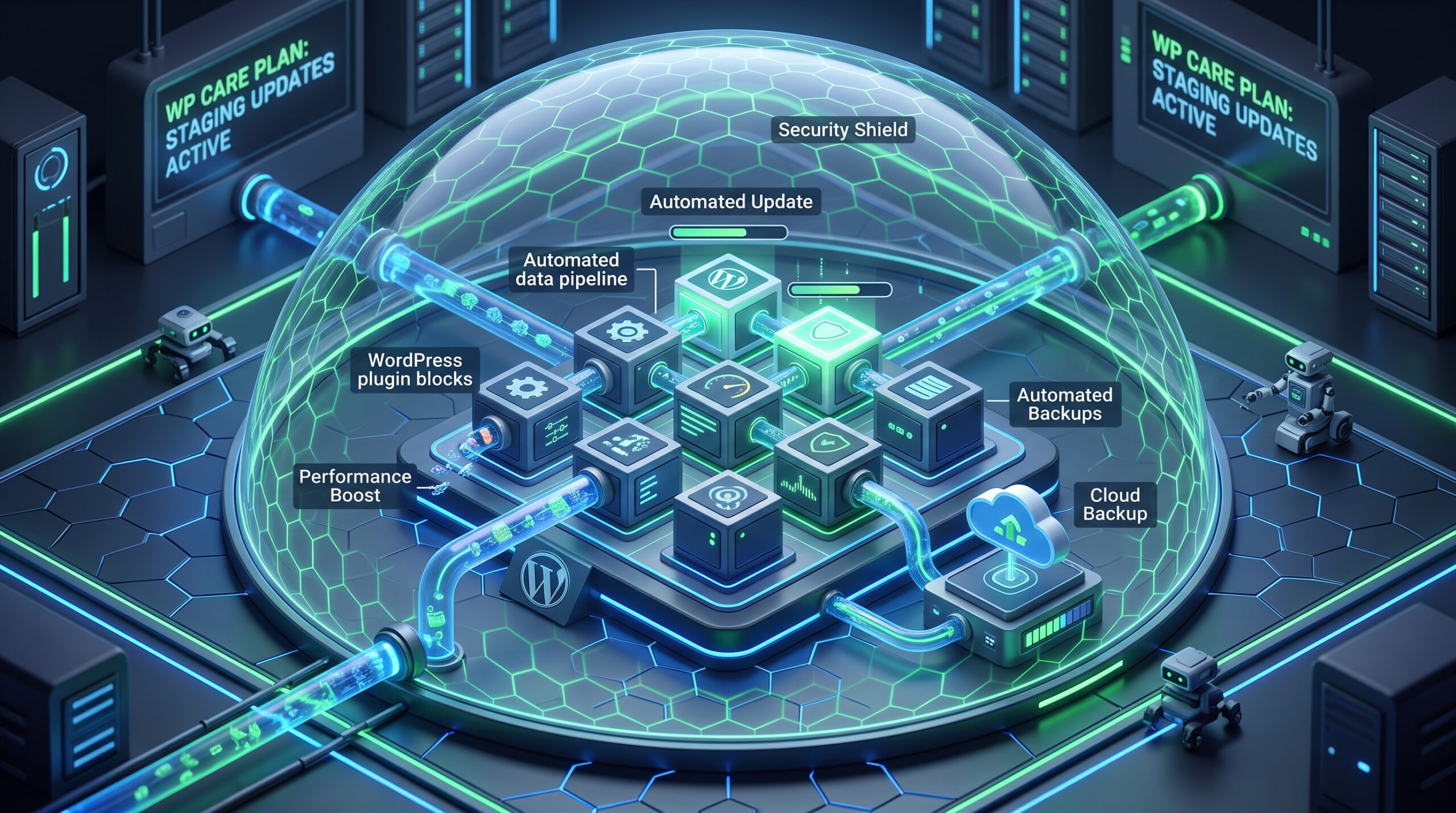
At Bohemia Technologies, we take complete responsibility for your website’s performance, infrastructure, security, and ongoing care. We host your site on isolated Google Cloud Platform (GCP) virtual machines, perform visual regression testing in isolated staging environments before pushing updates live, run automated off-site backups, and provide continuous technical support—so you can put your website maintenance on complete autopilot.
The Hidden Costs and Risks of DIY WordPress Maintenance
Managing a commercial WordPress site in-house forces busy business owners and operations managers to act as part-time sysadmins. When hosting is treated as an afterthought, operational headaches multiply quickly:
- Unpredictable Update Crashes: Clicking “Update All” in the WordPress admin dashboard frequently causes plugin incompatibilities, database connection errors, or broken layout grids that ruin user experience.
- Silent Lead Form Failures: A plugin update can quietly break API integrations or SMTP email routines. You might not realize your contact forms are failing until days after valuable prospective client leads have been lost.
- Sluggish Shared Hosting Performance: Cheap hosting platforms cram thousands of sites onto single servers. When software updates increase memory demands, shared hosts throttle your CPU resources, resulting in slow 4+ second load times.
- Unmonitored Security Vulnerabilities: Outdated plugins and legacy PHP versions are the single largest entry point for automated malware bots, backdoor scripts, and cross-site scripting attacks.
Comprehensive WordPress Care & Cloud Infrastructure Features
Our managed care plans combine enterprise-grade Google Cloud infrastructure with proactive technical management to ensure your digital storefront stays fast, secure, and bulletproof.
Google Cloud Compute Engine Hosting
We move your website off crowded shared hosting and onto dedicated Google Cloud virtual machine resources running Nginx web servers, PHP 8.x optimization, and server-level caching for peak sub-second page rendering.
Visual Regression Testing in Staging
We never push updates blindly to your live website. Every plugin, theme, and core WordPress update is deployed first in an isolated staging environment and verified using automated visual regression testing to guarantee nothing breaks before going live.
Automated Daily Off-Site Archiving
Protect your data assets with redundant, automated daily backups of your entire WordPress database and media library. Snapshots are archived securely in Google Cloud Storage buckets across geographically separate data centers for rapid 1-click disaster recovery.
Proactive Edge Security & Malware Shield
We enforce enterprise Web Application Firewalls (WAF), real-time file integrity monitoring, brute-force login protection, and daily vulnerability scans to block security threats before they ever hit your server.
Dedicated Monthly Technical Support Hours
Need to update staff bios, swap out service photos, tweak a form layout, or troubleshoot a third-party script? Every care plan includes direct access to certified engineers for hands-on site updates and technical assistance.
Managed WordPress Care Plan Comparison
Choose the tier of coverage that matches your organization’s digital footprint and support requirements:
| Service Feature | Essential Care ($199/mo) | Professional Care ($350/mo) | Agency / Enterprise Care ($650/mo) |
| GCP Cloud Hosting | Single Dedicated VM Instance | Isolated High-Speed VM | High-Availability Multi-Zone |
| Update Testing | Monthly Tested Updates | Bi-Weekly Staging Updates | Weekly Managed Staging Updates |
| Backup Retention | 30-Day Daily Off-Site | 60-Day Daily Off-Site | 90-Day Real-Time Point-in-Time |
| Dedicated Edit Hours | 30 Minutes / Month | 2 Hours / Month | 5 Hours / Month |
| Emergency Response SLA | 8-Hour Response | 2-Hour Priority SLA | 30-Minute Priority Emergency SLA |
| Staging Environment | Included | Included | Included with Multi-Dev Access |
The 4-Step Zero-Downtime Onboarding Blueprint
Transitioning your website to our managed care ecosystem is simple and seamless.

- Free Infrastructure & Care Audit: We inspect your current web server setup, plugin stack, database size, and security headers to map out your care plan requirements.
- Staging Build & Compatibility Testing: We clone your website to an isolated staging environment on Google Cloud, upgrade PHP versions, and execute visual regression tests across all plugin updates.
- Free Zero-Downtime Migration: When you sign up for an annual care plan, we handle the end-to-end cloud migration completely free of charge, completing the DNS switch during off-peak hours.
- Ongoing Autopilot Care & Optimization: Our team monitors 24/7 telemetry, conducts regular staging updates, secures off-site backups, and stands by for monthly content edit requests.
Engineered for Busy SMB Owners & Operations Leads
Our hands-off managed care plans cater specifically to regional organizations, growing businesses, non-profits, and professional firms across Washington D.C., Maryland, and Northern Virginia:
- Professional Service Providers: Keep client inquiries, consultation bookings, and landing pages operational around the clock without wasting administrative staff time on site updates.
- E-Commerce Merchants & Regional Brands: Preserve WooCommerce speed and transactional security during peak traffic surges without database slowdowns.
- Non-Profits & Associations: Ensure stable database performance, secure donor portals, and offload technical maintenance to a trusted regional IT partner.
Frequently Asked Questions
What happens if a plugin update breaks something in the staging environment?
How does the Free Migration offer work?
Can our internal staff still publish blog posts and make page edits?
Why is visual regression testing better than automated WordPress plugin updates?
Because we test all updates in staging first, your live website is never affected. If an update causes a conflict or visual glitch, our engineers resolve the issue, contact the plugin developer, or implement a compatibility fix before pushing changes to your production site.
When you select any annual WordPress Care Plan, Bohemia Technologies waives all standard migration and setup fees. We handle the entire server transfer, SSL binding, and DNS migration seamlessly with zero downtime.
Yes. Your administrative and marketing staff maintain full access to the WordPress admin panel to publish news, blog posts, and pages. Our team manages the backend server health, security perimeter, plugin testing, and complex technical tasks in the background.
Automated updates blindly overwrite code files. If an updated plugin changes a button style, breaks a form layout, or conflicts with your theme, automated updates will push that broken site live. Visual regression testing captures before-and-after screenshots across responsive viewports to verify visual and functional accuracy before live deployment.
Put Your WordPress Site on Autopilot Today
Ready to stop worrying about plugin updates, PHP crashes, and hosting maintenance? Claim your free WordPress Infrastructure & Care Audit today. Get your site migrated to Google Cloud for free when you sign up for an annual WordPress Care Plan.
- Full Name:
[ Text Input ] - Work Email:
[ Text Input ] - Current Hosting Provider:
[ Dropdown: WP Engine / GoDaddy / Bluehost / SiteGround / Self-Hosted / Other ] - How many WordPress sites do you need managed?
[ Dropdown: 1 site / 2–4 sites / 5+ sites ] - What support level does your business require?
[ Dropdown: Pure hosting & maintenance / Maintenance + Monthly content update hours / Full hands-on staff support ]
[ GET STARTED WITH MANAGED WORDPRESS CARE ]